Cloud Backup For Your Bookmarks
Waystead backs up your current bookmark bar to the cloud. A separate copy remains available beyond the browser where those bookmarks were originally saved and organized.
YOUR BOOKMARKS, TOGETHER
Waystead syncs each browser’s native bookmark bar and safely merges the bookmarks already there without letting one browser overwrite another.
Free to start. No credit card required.
Waystead backs up your current bookmark bar to the cloud. A separate copy remains available beyond the browser where those bookmarks were originally saved and organized.
Continue using each browser’s native bookmark bar without changing how you save or organize bookmarks. Waystead keeps your changes synchronized across every connected browser.
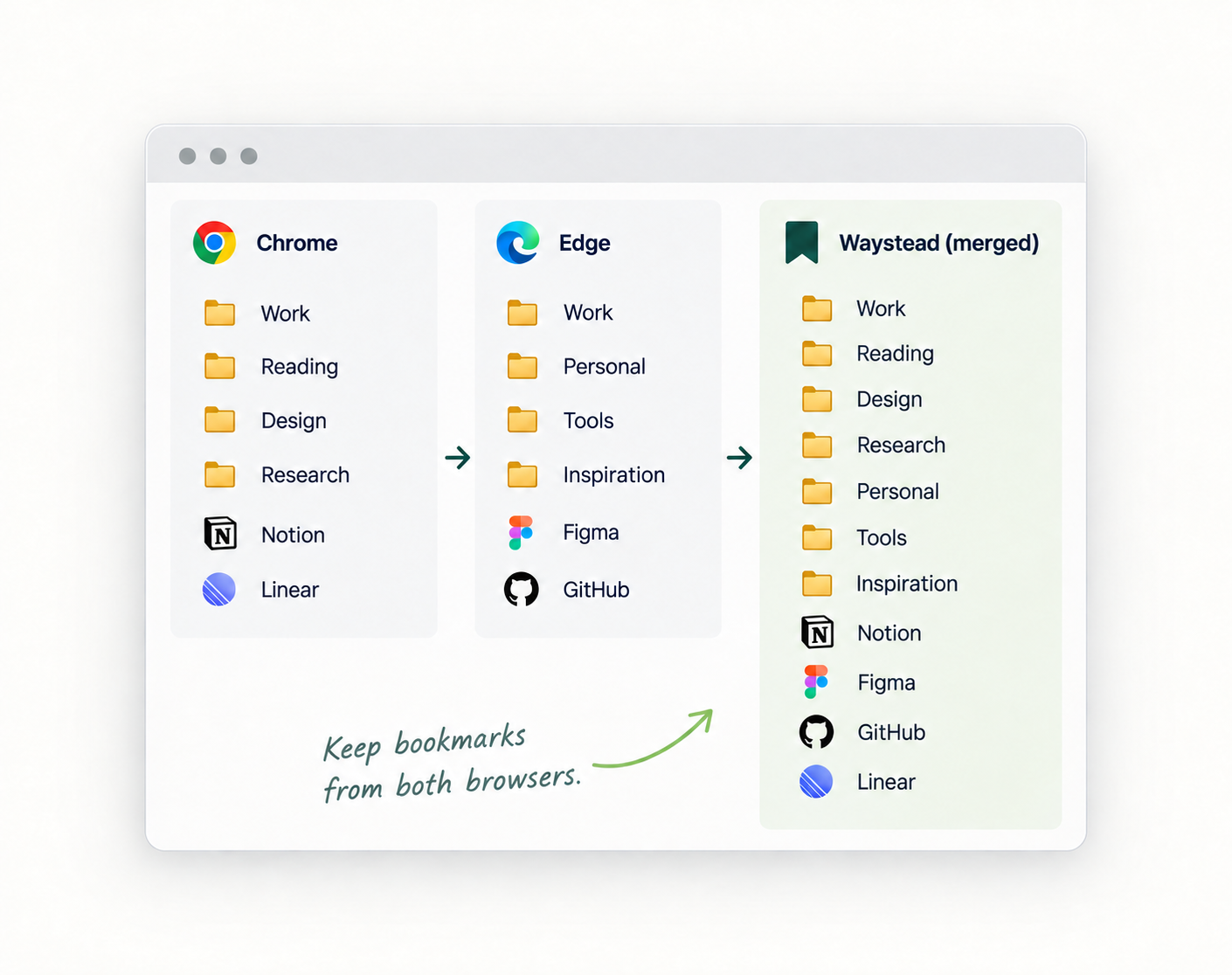
When you add a new browser, Waystead merges the bookmarks already there with your cloud backup. Both sets are combined without allowing either one to replace the other.
BRING IT TOGETHER
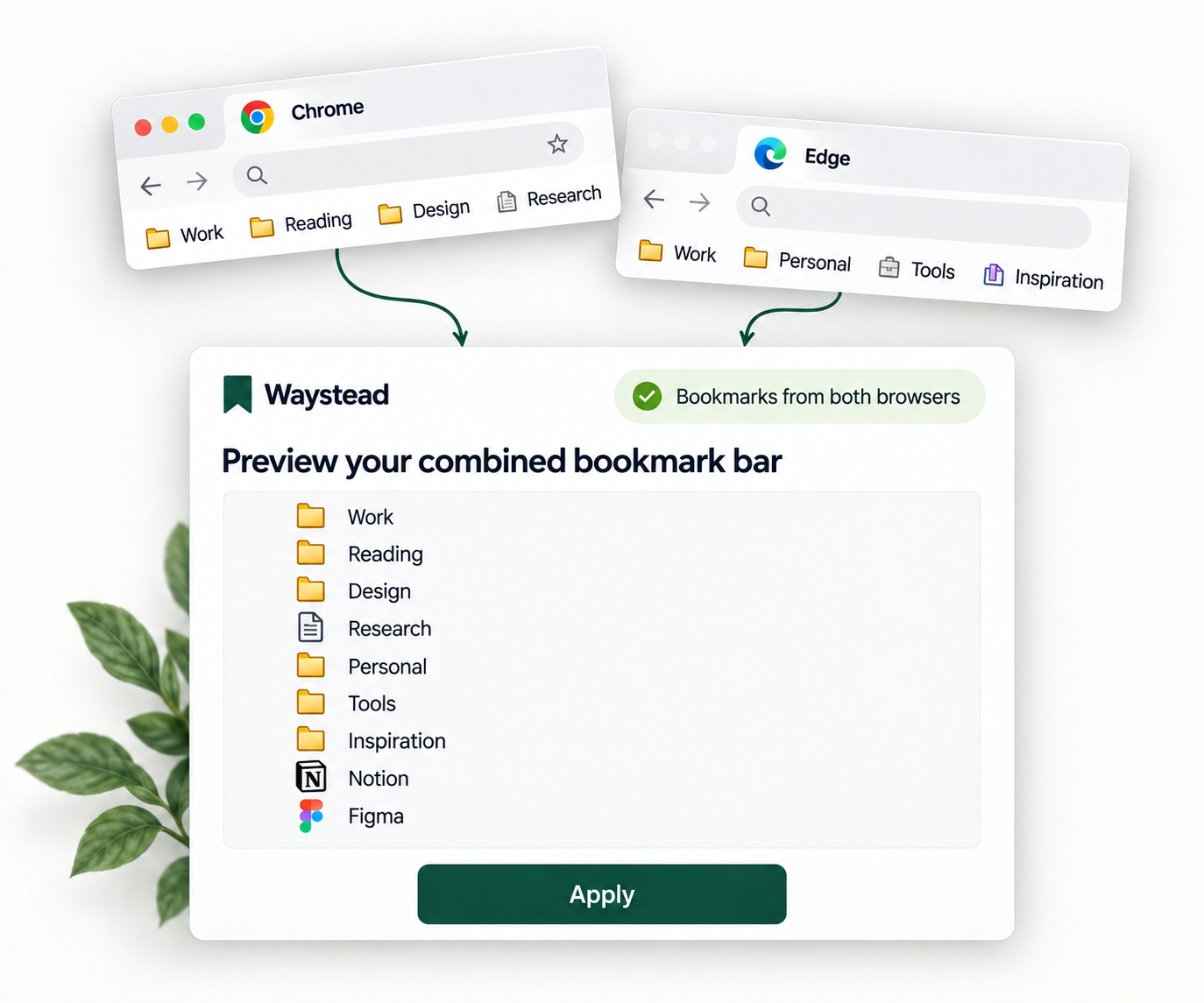
When you add a new browser, Waystead combines its bookmark bar with the copy saved in Waystead, keeping bookmarks from both instead of replacing either bookmark bar in full.
Preview the combined result before applying it to this browser and saving it in Waystead.
YOUR DATA, YOUR CHOICE
Review your first merge, recover earlier results, and manage your cloud data.
Waystead compares a new browser’s bookmark bar with your cloud copy, summarizing additions, duplicates, and anything needing a decision. You confirm the result before merging begins.
Recover from an unwanted change using an available recovery point. Preview the saved result before applying it; the recovery options available depend on your plan.
Export your saved bookmark bar or delete your Waystead cloud data. Neither action changes the bookmarks stored locally in your browsers.
GET STARTED
Create a Waystead account or sign in to an existing one, then continue to the guided setup for your first browser.
Install Waystead in your first browser and sync its current bookmark bar to create your cloud backup.
Install Waystead in another browser, sign in to the same account, and review the proposed merge before confirming.
CHOOSE WHAT WORKS FOR YOU
No credit card required. Your trial won’t automatically become a paid subscription.